Financial Advisors managing multiple accounts can allocate positions resulting from a trade in multiple ways. The easiest method of allocating positions is to specify the Account ID (i.e., UXXXXXX) in the order object’s attribute. To allow for extra flexibility, advisors can create multiple allocation profiles, account aliases and account groups within TWS itself. These configurations are also available to the API client applications.
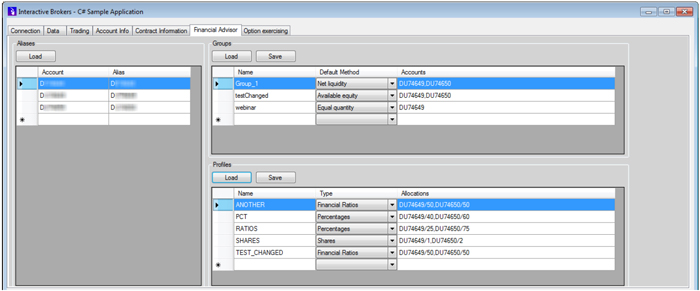
The requestFA method lets advisors retrieve the three different configurations - account aliases, account groups and allocation profiles - on the Financial Advisor tab of IBSampleApp, as shown below. In the sample application, click the Load button in each section to retrieve the configuration.
All advisor configuration data is returned in XML format. For convenience, the sample application parses the incoming XML structure in order to present the different configurations in a user-friendly format.
Advisors can also replace the configuration data from API client applications. This is accomplished using the replaceFA method. We recommend that you use this method with cautious because TWS will not perform any sorting or merging between the old and the updated information. Whatever is sent from the API client will override the TWS configuration.
For more information about advisor support in the API, see the Advisors topic in the API Reference Guide.